


Roll20 and popular RPG mapmaker Czepeku have teamed up to make it even easier to make your virtual tabletop maps dynamic.
Big news for Roll20 users this week. Roll20 and award-winning RPG battle-map makers Czepeku announced a team-up that will make it even easier for GMs to import maps ready to play with automated walls, lightning, doors, and windows. All thanks to a new update that anyone with a subscription can make use of right now. Let’s take a look.

Roll20’s Big UVTT Map Update And Czepeku Team Up
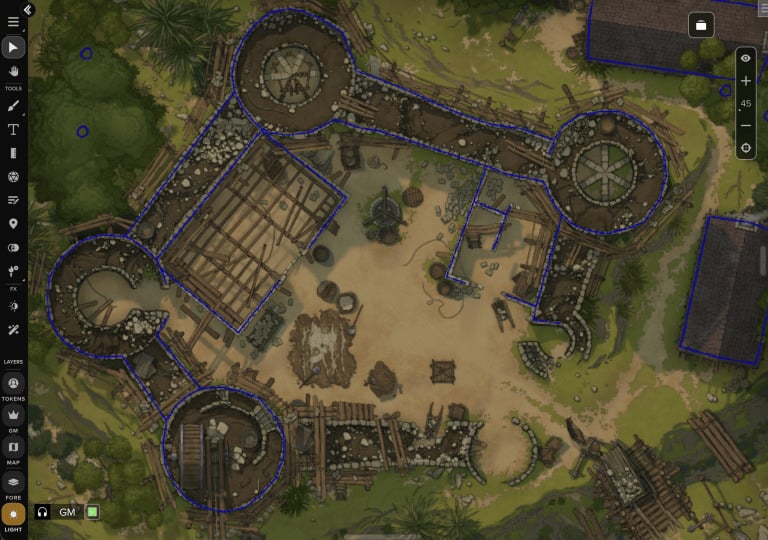
First things first, the new team-up is just one part of a big new update Roll20 has rolled out, enabling official support for UVTT map files. This comes along with updates to the Page Menu, making it even more robust. Now you can either create a map on the fly, thanks to Dungeon Scrawl, or import one of your own.
And here’s where we have to get a little technical. Because now you can import a UVTT file, and doing so will automatically generate “Dynamic Lighting Info” on the Lighting Layer in Roll20, meaning you no longer have to trace out your own dynamic lighting walls, but also windows and doors and the like are automated as well.

It all has to do with native support for the community-built UniversalVTTImporterMod Script, as Roll20 outlines in a new blog post:
The only way to use UVTT maps prior to this release was by using the community-built UniversalVTTImporter Mod Script, available to Pro and Elite subscribers. While that tool is still available to subscribers who want advanced configuration options, the built-in functionality ensures that everyone can upload UVTT files regardless of subscription level, and UVTT data is visible to all subscribers via the Dynamic Lighting benefit.
Free users that upload UVTT files will have their image placed on the background and Dynamic Lighting lines, lights, and portals on the Light layer, but will only be able to view the static map in-game. If they decide to upgrade in the future, everything will be set up and ready to use. Plus subscribers previously excluded from any use of UVTT files can now enjoy the format and its benefits, along with built-in feature support.

And here’s where we get to the Czepeku team-up. Because sure, you can often export a UVTT file from popular mapmaking tools. But if you’re familiar at all with high-quality VTT maps (or have watched a tabletop-related video on YouTube in the last six months), you’ve probably heard of Czepeku, a massive resource for high-quality RPG maps that span all sorts of fantasy and sci-fi genres.
As a part of the team-up, Czepeku has started to offer most of their 12,000 hand-drawn maps as UVTT downloads. It is easy to export a Czepeku map right into Roll20 (you can even do so right from the marketplace). Or you can get a subscription that unlocks unlimited downloads across their expansive map catalog. Either way, it’s easier than ever to use Roll20’s dynamic tools.
All of this is enabled at press time, meaning you can try a UVTT map today if you have a Roll20 subscription!
Don’t Miss:


Source: Bell of Lost Souls

