With pre-orders now open for the Starcraft Tabletop Miniatures Game, publisher Archon studio has started making the rules public. Here’s everything we know so far – from army building to claiming victory.
If you want to know what miniatures and expansions to expect for the Starcraft Tabletop Miniatures Game, check out our guide to the Starcraft TMG release schedule.
Setting up a game
Standard games of Starcraft TMG use a 54″ x 36″ board, while smaller games use a 36″ x 36″ board. Official terrain is available, but as the game is in a very similar scale to Warhammer 40k, it should be possible to use an existing scenery collection.
Missions are constructed through a card draft that aims to prevent one-sided matchups:
- Each player brings a choice of two mission cards, and two deployment cards, to the game.
- Both players roll 2D6. The high roller gets to choose whether they’ll control the mission card, or deployment cards.
- Whichever they choose, the losing player gets to ban two cards from that set The winning player then gets to pick from the two remaining cards to select the mission or objective for the game.
- After that, the players reverse roles; the winner of the roll off now picks two cards to ban from the remaining category, and the loser chooses between the other two cards.
Building an army
Like most other wargames, you’ll build your army list before the battle using a budget of points. In fact, Starcraft TMG uses two separate points budgets. Minerals are used to buy units and upgrades. Small games will have a limit of 1,000 minerals, and standard games have a limit of 2,000.
There’s a separate budget of Vespene gas, which is used to purchase Tactical Cards. These represent the different buildings you would include in your base in a game of Starcraft, and provide additional abilities to your units or your force as a whole.
Supply Pool
Unlike most wargames, your entire army starts the game in reserves, and will move on starting from your first turn. However you can’t field your entire army at once. Each unit has a Supply Value, and the units you can field at any one time is limited by your Supply Pool.
The Supply Pool increases each turn, so as your units are damaged or destroyed, or you use special capabilities to remove them from the battlefield, you can send in increasingly more powerful reinforcements.

Unit stats
The key information about a unit is recorded on is data card, particularly in its statline.
Speed
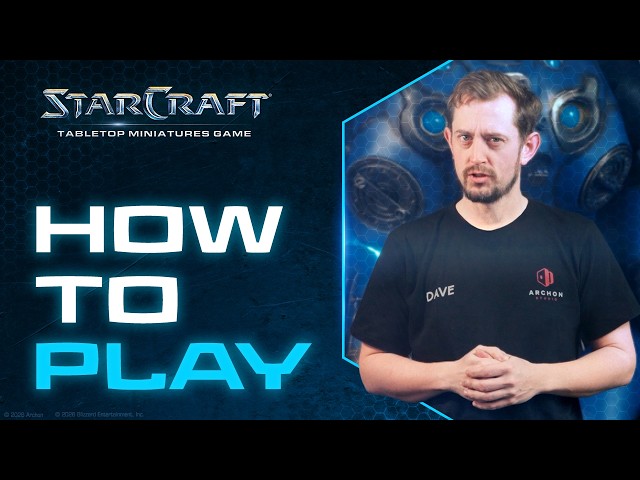
A unit’s speed is the distance in inches it moves. The “how to play” video for the game shows stat cards with a split value for movement speed: it’s not clear if this is because the second value is used for certain specific actions, in certain game modes, or is just an artefact on a prototype card.
Armour
When a unit receives hits, it can attempt to negate them by making an armour roll. For each hit, roll a D6: if it is equal to or greater than the Armour value, the hit is negated.
Evade
When a unit is targeted by ranged attacks while it is engaged in close combat, in addition to an armour roll, it gets to make an evade roll to attempt to negate hits.
Hit Points
When a model fails to make an armour roll or evasion roll against an enemy hit, it suffers damage from the attack. Once a model has received damage equal to its hitpoints, it is destroyed.
Size
The size of a unit is used when determining line of sight.
Models / Supply
This table indicates the Supply value of a unit based on the number of models it contains. You can’t ever have units on the battlefield with a greater Supply value than the Supply Pool limit for the current battle round. As units are damaged, their Supply value decreases.
Combat Tags
Each unit has a variety of Combat Tags which may be referenced by other rules. For example, weapons will specify if they can target units with the Ground or Air tags; and weapons may have a Surge type, which makes them especially dangerous against units with a specific tag.
In addition to stats, each unit card will contain profiles for weapons, and any additional special abilities the unit has. Units may gain other capabilities from your choice of Tactical Cards for the army.

Weapon stats
Ranged and close combat weapons use the same stat-lines, though the range of melee weapons is unsurprisingly rather short.
RNG
The weapon’s effective range in inches. If this is “E”, it may only be used in melee combat.
Target
This specifies a Combat Tag that the weapon can be used against. Typically this will be either Ground or Air.
RoA
A model attacking with this weapon rolls this many D6s as attack dice.
Hit
This is a target number. Each attack dice that scores this value or higher becomes a hit.
Surge type and S Dice
Many attacks are super effective against one type of enemy. When you score hits against a target that has one of the Combat Tags recorded in the weapon’s Surge type, you get to roll your Surge Dice (S Dice for short). Whatever the result, you can immediately convert that many of your hits into damage, bypassing the target’s armour roll.
Dmg
The amount of damage inflicted by a hit that is not saved by the target’s armour roll or evade roll.
Keyword
Many attacks may have special abilities, which are recorded here. For example a weapon with PIERCE Combat Tag (X) deals X damage instead of its normal Dmg value against targets with the specified Combat Tag.

The attack sequence
Both ranged and melee attacks follow broadly the same attack sequence to determine hits and damage. The main difference is in determining which models are eligible to attack.
- Declare a target.
- Choose a weapon profile for each model in the attacking unit, and check if the model is eligible to attack – this is different for melee and ranged combat.
- If a unit has multiple weapon profiles, resolve attacks with one weapon at a time.
- For each eligible model, roll a number of D6 equal to its RoA.
- Results equal to or greater than the weapon’s Hit value convert into hits.
- If the target unit has any Combat Tags that match the weapon’s Surge Type, roll your S Dice. That many Hits automatically inflict damage on the target, bypassing the target’s Armour.
- For each hit that did not bypass the target’s Armour, its controller gets to roll a D6. Each result that is equal to or greater than the target’s Armour value negates one hit.
- Each unsaved hit deals damage equal to the weapon’s Dmg to the unit.
- Once the unit has taken damage equal to its Health stat, one model is removed. Any remaining damage that isn’t sufficient to destroy a model rolls over and is tracked using a D6.
Phases and Activations
Games of Starcraft TMG are split into four phases. The first three allow units to perform specific actions, while the last phase is for checking objectives.
- Movement Phase: deploy, move, or disengage
- Assault Phase: move, charge, hold, make ranged attacks, and make defensive ranged attacks.
- Combat Phase: close combat attacks.
- Scoring Phase: determine control of objectives and score points.
Units may have access to special actions on their unit card, as upgrades, or as a result of the army’s Tactical Cards.
Within each phase, players alternate activating one unit at a time, and may choose to pass. In the very first movement phase you’ll determine which player has the initiative by rolling off – whoever has initiative decides whether whether to activate first or second. After that, whoever passes first during a phase gets the initiative for the following phase.
Movement phase
Units can move, deploy, or disengage during the movement phase. As you activate units during the movement phase, you’ll place activation tokens beside them with the arrow side up to track that they’ve activated (or the Assault side up if they Disengage). If you pass before all of your units have activated, you’ll need to top them up with an activation token at the end of the phase.
Move
When a unit moves, the controlling player picks one model and moves them up to the unit’s movement distance. The rest of the unit is placed within ‘coherency range’ of that model. Usually this is three inches, but for some units – like Zerglings – it will be more. Models may not be placed within one inch of an enemy unit during the movement phase.
Deploy
Deploying a unit from reserves is similar to moving it, but you measure from the edge of the board when placing the first model.
Disengage
Units can also disengage from close combat with an enemy. If they’ve got a higher Supply Value than their opponent, they can make this move without penalty. Otherwise, they won’t be able to charge or make ranged attacks for the rest of the turn.

Assault Phase
Units can move, charge, perform a ranged attack during the Assault phase. Moving in the assault phase is the same as moving in the movement phase. Units can also Hold, which is an activation that does nothing.
Once a unit has activated during the Assault phase, flip the order token beside it to the Assault side as a reminder.
Charge
When a unit charges, pick one model to be the leading model, roll a D6, and add it to the unit’s Move characteristic. If the leading model could get within one inch of the target unit by moving that distance, the charge is successful charge – the leading model moves, and the rest of the unit is placed within coherency of it. If the roll isn’t high enough, the charge fails and the unit doesn’t move.
Ranged attack
When a unit shoots, it unloads its guns onto the enemy, following the attack sequence. To be eligible to attack, each model must be within range of a model in the enemy unit, and must have a line of sight to the unit.
Defensive Attack
A unit can make ranged attacks against an enemy which charged them during this phase, but their target gets to make Evade rolls in addition to Armour rolls to attempt to negate hits.

Combat phase
When a unit activates in the combat phase, it can attack with its melee weapons against a unit it is engaged with. Models must be within one inch of an enemy to attack. There’s some ambiguous wording in the information published so far, which suggests a ‘second rank’ of models can fight, provided they’re close to another member of their unit which itself meets the engagement range criteria.
Since this is the last phase of the turn when units will activate, you can track whether units have attacked or not by removing their activation token.
Objective phase
Control of mission objectives is calculated during the objective phase. Which player controls an objective is determined by the total Supply value of units they have in range of it. This is also a good point to clear away activation tokens to prepare for the next round.
Excited for Starcraft TMG? Already got your pre-orders locked in? Come and chat about it in the Wargamer Discord community.
 Source: Wargamer